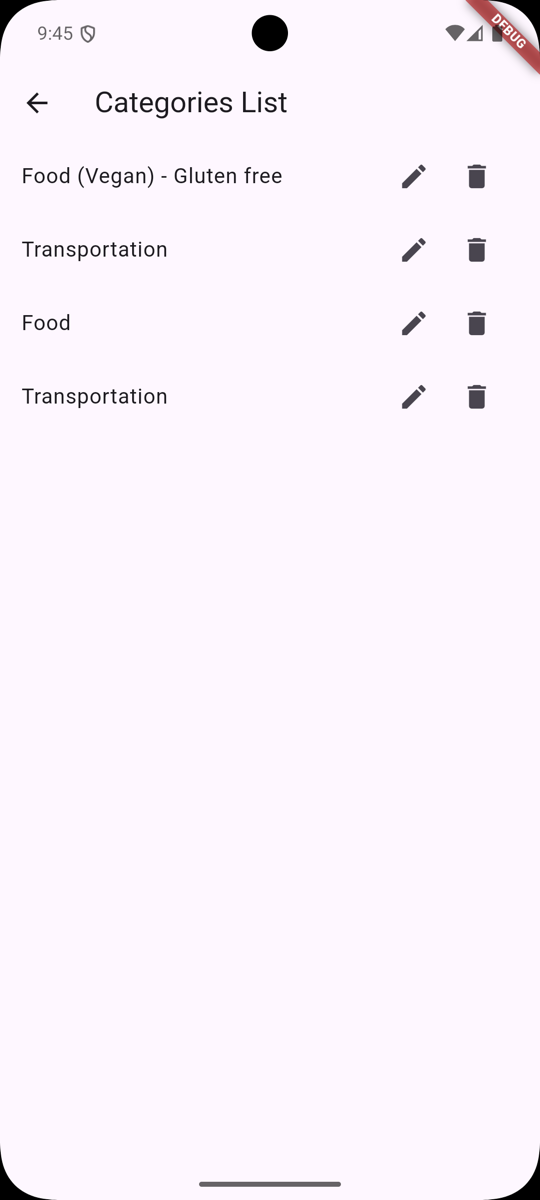
After all code updates, it's time to add another feature - Deletion of Categories:
Adding API Method
Let's start by adding our API call to our API service:
lib/services/api.dart
class ApiService { ApiService(); final String baseUrl = 'https://ec90-78-58-236-130.ngrok-free.app'; // ... Future<void> deleteCategory(id) async { String url = '$baseUrl/api/categories/$id'; final http.Response response = await http.delete( Uri.parse(url), ); if (response.statusCode != 204) { throw Exception('Failed to delete category'); } }}Adding Deletion to Provider
Next, we have a Provider that needs to react to items being deleted:
lib/providers/category_provider.dart
class CategoryProvider extends ChangeNotifier { List<Category> categories = []; late ApiService apiService; // ... Future deleteCategory(Category category) async { try { await apiService.deleteCategory(category.id); categories.remove(category); notifyListeners(); } catch (e) { print('Failed to delete category: $e'); } }}This will allow our UI to react to the deletion of a Category by removing it from the list of Categories.
Adding Delete Button to List
Last, we need a button to trigger the deletion. But for this, we have to modify our Categories List widget a little bit:
- Add a
Rowwidget around our buttons, allowing us to align them horizontally. - Add
mainAxisSize: MainAxisSize.minto theRowwidget to make it as small as possible. - Add a Delete button to the
Rowwidget.
Let's update our CategoryList widget with our Row widget:
lib/screens/categories/categories_list.dart
return ListTile( title: Text(category.name), trailing: IconButton( onPressed: () { showModalBottomSheet( context: context, isScrollControlled: true, builder: (context) { return CategoryEdit(category, provider.updateCategory); }, ); }, icon: Icon(Icons.edit), ), trailing: Row( mainAxisSize: MainAxisSize.min, children: [ IconButton( onPressed: () { showModalBottomSheet( context: context, isScrollControlled: true, builder: (context) { return CategoryEdit(category, provider.updateCategory); }, ); }, icon: Icon(Icons.edit), ), ], ), );Now, we can add a Delete button to the Row widget:
lib/screens/categories/categories_list.dart
return ListTile( title: Text(category.name), trailing: Row( mainAxisSize: MainAxisSize.min, children: [ IconButton( onPressed: () { showModalBottomSheet( context: context, isScrollControlled: true, builder: (context) { return CategoryEdit(category, provider.updateCategory); }, ); }, icon: Icon(Icons.edit), ), IconButton( onPressed: () { showDialog( context: context, builder: (context) { return AlertDialog( title: Text('Delete Category'), content: Text( 'Are you sure you want to delete this category?'), actions: [ TextButton( onPressed: () { Navigator.pop(context); }, child: Text('Cancel'), ), TextButton( onPressed: () { provider.deleteCategory(category); Navigator.pop(context); }, child: Text('Delete'), ), ], ); }); }, icon: Icon(Icons.delete), ), ], ), );We have added an AlertDialog with two buttons—Cancel and Delete. The Delete button will call the deleteCategory method on our Provider.
Here's how it looks:
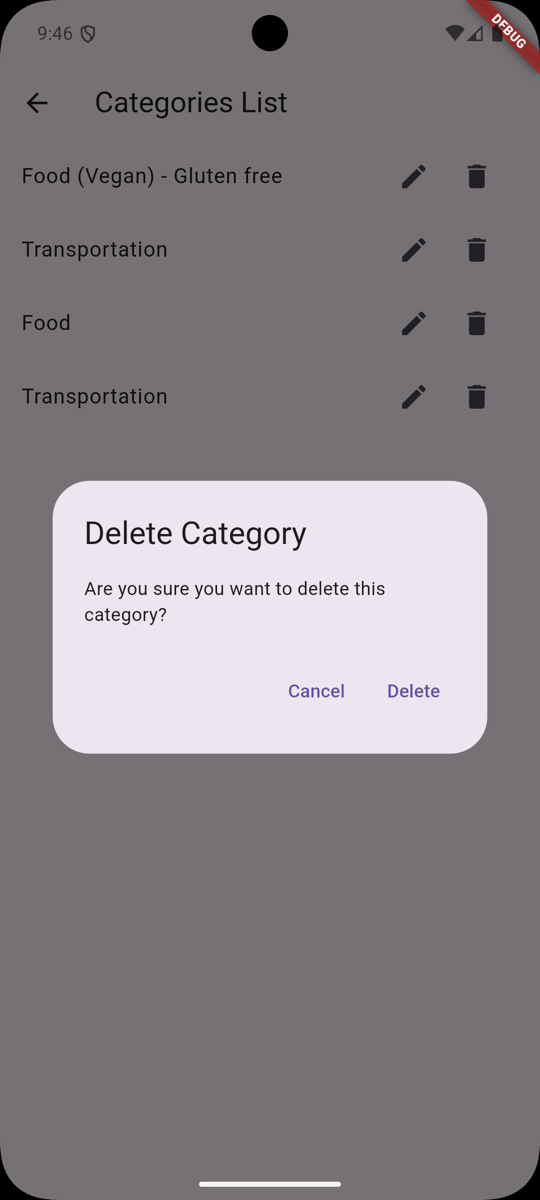
That's it! We have added the ability to delete Categories from our application.
In the next lesson, we will add a Create button to create new Categories.
Check out the GitHub Commit for this lesson.